
BLOG
Latest & Greatest

Silicon Designer for Adobe Experience Manager
Silicon Publishing has been building online design solutions since our inception in the year 2000: in our previous life at Bertelsmann, we had pioneered the web itself (building Intel's first web site, for example), including the very first server-based generation of...

Document Automation for Real Estate
The real estate Industry, both commercial and residential, has a strong dependency on documents. These range from marketing materials such as flyers, postcards, and listings, to complex legal documents such as loan applications, contracts, and deeds of title. In our...

Visualizing Promotional Products
Graphics technology has evolved rapidly following the advent of the computer, and during the past decade high-quality 3D graphics have finally become available to everyone. It's hard to imagine that just 9 years ago, we were lobbying to convince Apple to support...

Extending Adobe Express
I am here in Los Angeles at the 2023 Adobe MAX conference, excited to show our recent work. We have spent the past three and a half months using Express extensibility features to develop two integrations, using the two SDKs available in the new Express product: One of...
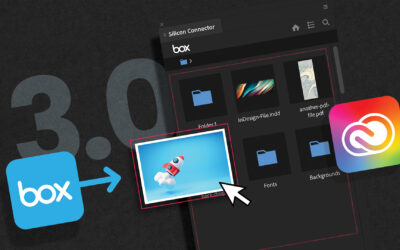
Silicon Publishing connects Adobe InDesign to the Box Content Cloud
San Francisco, CA, September 13, 2023 – Silicon Publishing announces the release of Silicon Connector for Box ver. 3.0, connecting Adobe creative tools directly to the Box Content Cloud. While Silicon Connector for Box has been very popular in the Box community for...

The long game of generative AI: Adobe sets the standard
Adobe has publicly released Artificial Intelligence features in their software for years, from the Sensei product announced in 2016 to the release of Firefly in 2023. Prior to these major initiatives, Adobe experimented with AI from the very early days, and pioneered...
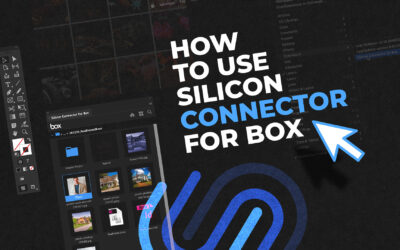
How to use Silicon Connector for Box
We are on the cusp of releasing Silicon Connector for Box version 3.0, ten years after the very first version. As we take the product to new heights, we're getting more serious about documenting it and sharing it with the world. As part of that process, we just made a...

Empowering Adobe Extensibility: From Abandonment to Life
We at Silicon Publishing recently attended the Adobe Developer and Partner Days 2023. We saw the extensibility features now available across the spectrum of Adobe creative software products, from Photoshop to Premiere. The clear focus was on their current shiny silver...

Silicon Render Service for Adobe InDesign Server
Silicon Publishing has been delivering solutions using Adobe InDesign Server, since the product's inception in 2005. We build solutions that let organizations generate dynamic documents at scale, or edit Adobe InDesign documents online through an easy-to-use,...

Online Design and Editing
Online editing is a powerful technology that has been steadily evolving since the World Wide Web became popular in the 1990s. Prior to the advent of the web, the "personal computer" had itself been revolutionary, giving designers and authors incredible new power to...

Five ways to use AI with InDesign
Adobe InDesign is the most powerful page layout tool in existence. It is also extremely well-exposed to automation, and is available in server form. It is thus well-suited to leveraging Artificial Intelligence (AI) in the creation of documents and images. Olav Martin...

Database Publishing
Ever since database technology arrived in the 1960s, people have wanted to visualize that data. And as data has exploded over the past 6 decades, computer graphics technology has advanced in parallel. As of today, humans consume data in quantity and quality never...